Local LLMs
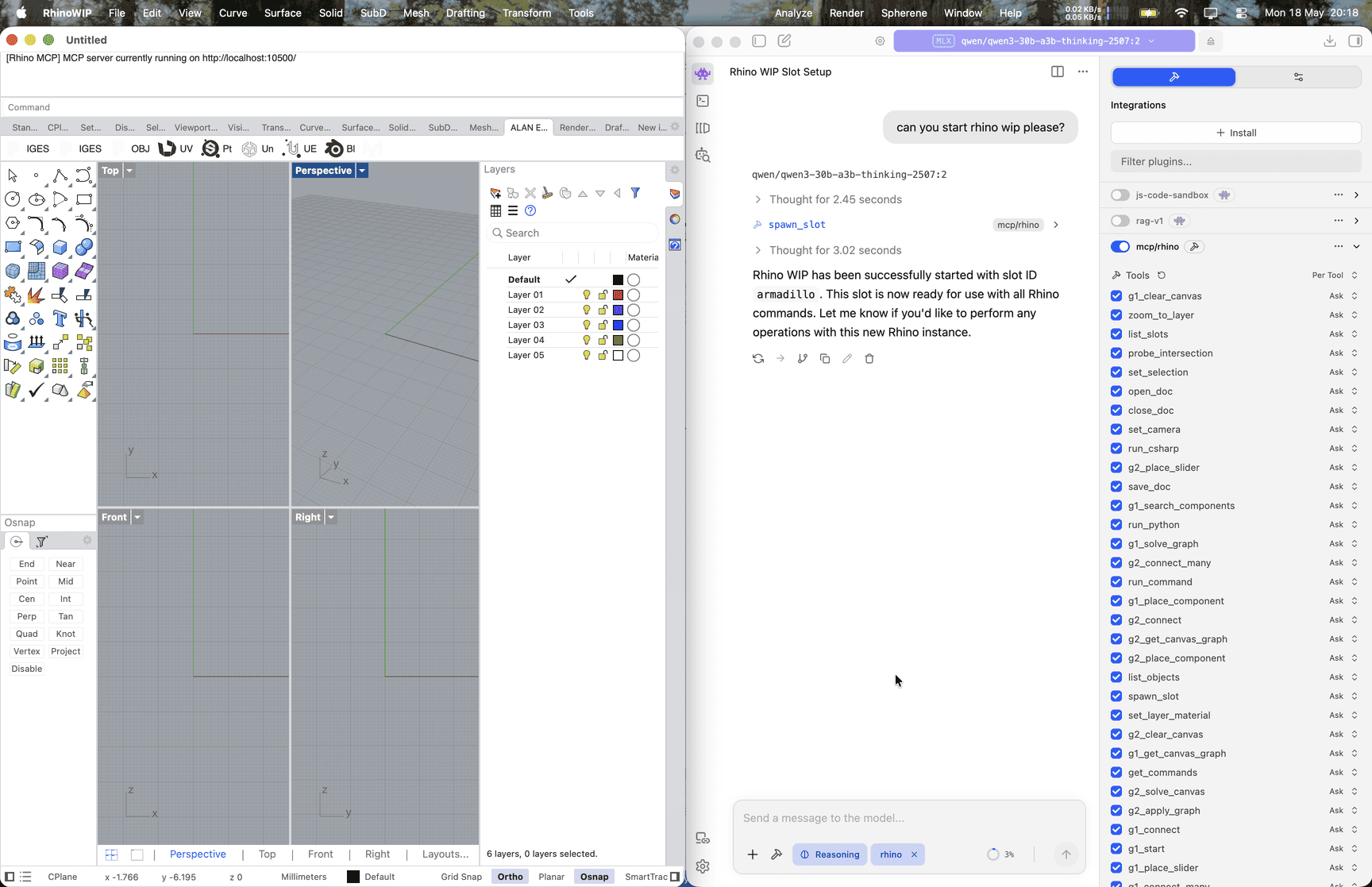
LM Studio is a desktop app for running open-weight models on your own machine. It speaks MCP, so once you point it at the Rhino server a local model can drive Rhino the same way a hosted one can.
If you’re choosing between assistants and aren’t sure, start with Claude Desktop; it’s the gentler entry point. Pick LM Studio when you’d rather keep everything on your own hardware or have data and privacy concerns.
Local open-weight models are not as capable as the paid hosted models (Claude, GPT, etc.). Expect more retries, weaker reasoning on long chains of tool calls, and the occasional refusal to use tools at all.
1. Install LM Studio
- Install LM Studio, then download a model with strong tool-use support. A good starting point is Qwen3, which drives MCP tools reliably. Plan on 16 GB of RAM as a minimum.
- Crank up the context length. LM Studio defaults to a small context window, which the Rhino tool list alone will blow through. Open the model’s load settings and push the max context length as high as your machine will allow.
2. Install the Rhino plugin
Install Rhino-MCP-Platform in Rhino Rhino 8 Install Rhino-MCP-Platform in Rhino Rhino 9
If that doesn’t work you can try the below:
- Open Rhino 8 (and/or Rhino 9 WIP)
- Run the
PackageManagercommand - Search for, and install Rhino-MCP-Platform
3. Wire up the Rhino server
- In Rhino, run the
MCPConnectcommand, choose the mcp.json tab. It gives the JSON needed for LM Studio to connect to the Rhino MCP. - In LM Studio, open the Program sidebar and click Install > Edit mcp.json (or open
~/.lmstudio/mcp.jsondirectly). - Add an entry for the Rhino server, pasting the mcp.json tab.
- Save the file. LM Studio picks up the change without a restart; the
rhinoserver should appear in the MCP tool list for any new chat.
Pick the Rhino version by changing the
--default-versionarg. Use8for Rhino 8,9for Rhino 9 WIP/BETA.
Try it out
Load your model in LM Studio, start a new chat with tool use enabled, and follow the prompts on the Try It Out page.
Tips
- Tool use must be on. In the chat sidebar, make sure the
rhinoserver is toggled on for the session. LM Studio defaults to asking before each tool call. - Smaller models struggle. If the model keeps describing what it would do instead of calling tools, try a larger or more recent instruction-tuned model.