Upgrade Grasshopper components to GH2
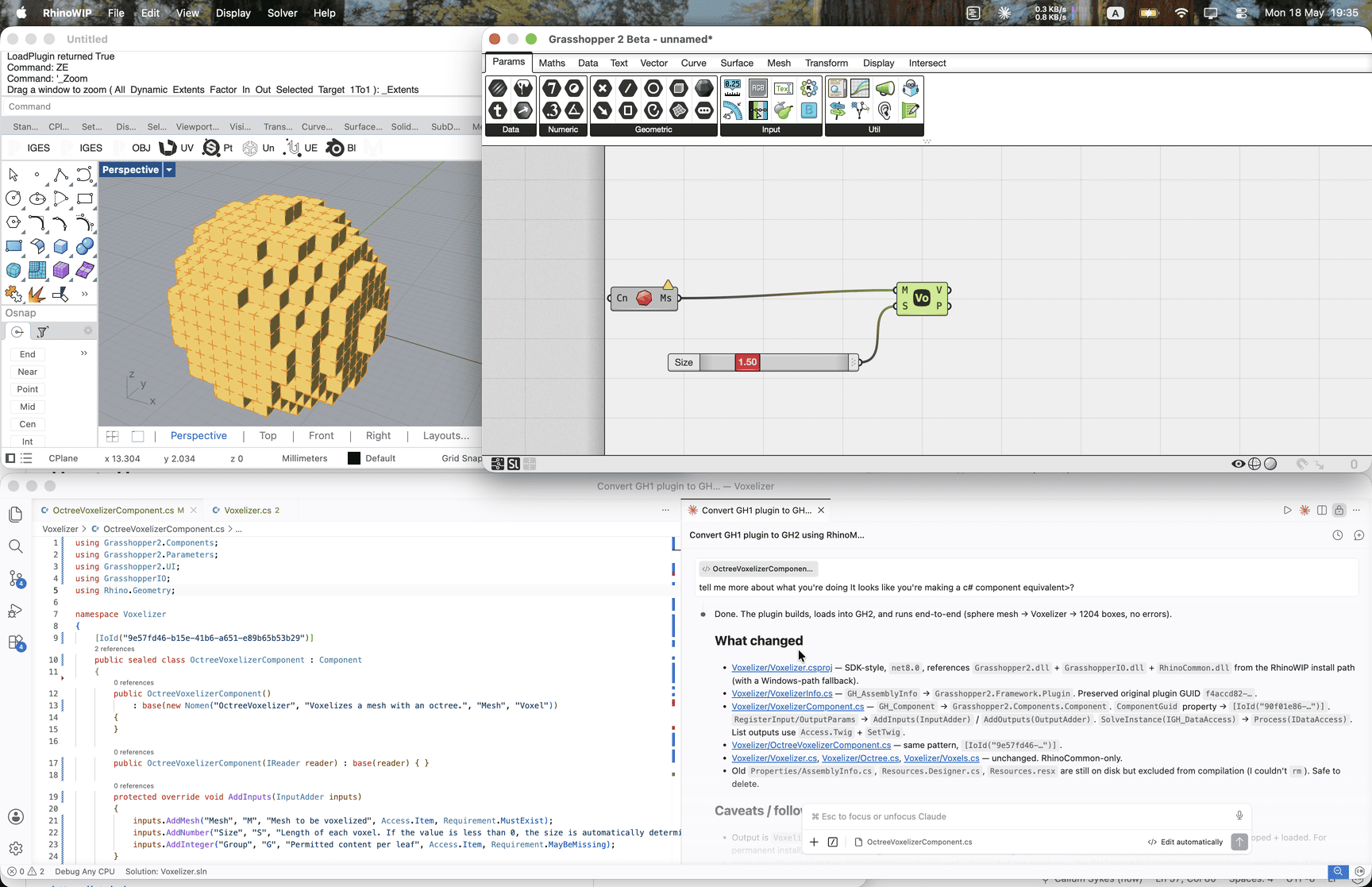
Rhino 9 ships Grasshopper 2 alongside Grasshopper 1. If you have a GH1 plugin and you want to try upgrading to GH2, this is a perfect use of an AI agent and the Rhino MCP server. The MCP exposes parallel g1_* and g2_* tool families, so the assistant can place a GH1 component and its new GH2 counterpart on their respective canvases in the same session and compare what they solve to.
We’ll use Voxelizer as the running example: a small, single-component GH1 plugin that’s easy to follow end to end.
ytakzk/VoxelizerThe loop
With both canvases reachable, the assistant can:
- Read each GH1 component’s inputs, outputs, and solve logic.
- Scaffold a GH2 equivalent in a new folder, leaving the GH1 sources untouched.
- Place the GH1 component on a GH1 canvas with sample inputs, place the new GH2 component on a GH2 canvas with the same inputs, and compare outputs through the MCP.
- Iterate until both solve the same way, then move to the next component.
The side-by-side check matters: GH2’s parameter and data-tree conventions aren’t a one-for-one match with GH1, so “it compiles and places” isn’t enough on its own.
A prompt to start with
Add a GH2 port of this plugin in a folder called gh2/ in this repo. The GH1
project must build untouched.
Use McNeel’s official template, not hand-rolled scaffolding:
dotnet new install Rhino.Templates
dotnet new gh2 –IncludeSample false -n
Reference docs while porting: Guide: https://developer.rhino3d.com/guides/grasshopper2/your-first-component-mac/ Template: https://github.com/mcneel/RhinoVisualStudioExtensions/tree/main/Rhino.Templates/content/CSGrasshopper2
Discover, don’t assume:
- Find the GH1 csproj and list every GH_Component subclass — these are what you port.
- Identify any helper classes that only depend on RhinoCommon (no
Grasshopper.Kernel.*). These should be SHARED, not copied:If there are no such helpers, skip this step. - Note each component’s inputs and outputs (types, access mode) — you’ll need this for both the port and the comparison.
Port one component at a time. For each:
- Generate or write the GH2 component shell (Component subclass, [IoId], Nomen, AddInputs/AddOutputs/Process). Preserve the original GH1 ComponentGuid by reusing it as the [IoId] value — this keeps any existing GH1 documents that reference it identifiable for future upgrade tooling.
- Build (.rhp output).
- Validate via rhino-mcp:
- spawn one Rhino WIP
- place the GH1 component on the GH1 canvas
- place the GH2 component on the GH2 canvas
- feed both the same fixture: minimal, deterministic, picked
based on the component’s input types (e.g. a slider for
numbers,
Mesh Without Normalsfor meshes, native geometry components for curves/surfaces). If a fixture cannot be expressed natively, commit it as a .3dm under tests/fixtures/ and load via the MCP. - solve both, then compare outputs by type: lists/trees: structure (branch + leaf counts) must match exactly numeric: within abs tolerance (default 1e-9) or rel tolerance the agent justifies inline geometry: bbox + element count must match exactly; per-element drift within tolerance is warn, not fail bools/ints: exact equality
- Mismatch in structure or count = hard fail. Per-element drift within tolerance = warn-only.
Constraints:
- Don’t modify any file under the GH1 source folder.
- If anything is unclear before you start, ask. Don’t infer.
What to review
- Parameter types. GH2’s type system isn’t identical to GH1’s; check that the assistant picked the right GH2 type rather than the closest-named one.
- Data-tree handling. If your GH1 component does anything non-trivial with branches or paths, look at how that translates. This is the most common place for “solves but wrong” bugs.
- Component metadata. Names, categories, icons, GUIDs: easy to get wrong, hard to fix later once users have files referencing them.
When the assistant gets stuck
If a component doesn’t have a clean GH2 equivalent (or relies on a GH1 API that’s gone), have the assistant skip it and surface the list of skipped components at the end, rather than trying to fake it. A short “these need human eyes” list is more useful than a stubbed component that silently solves to nothing.